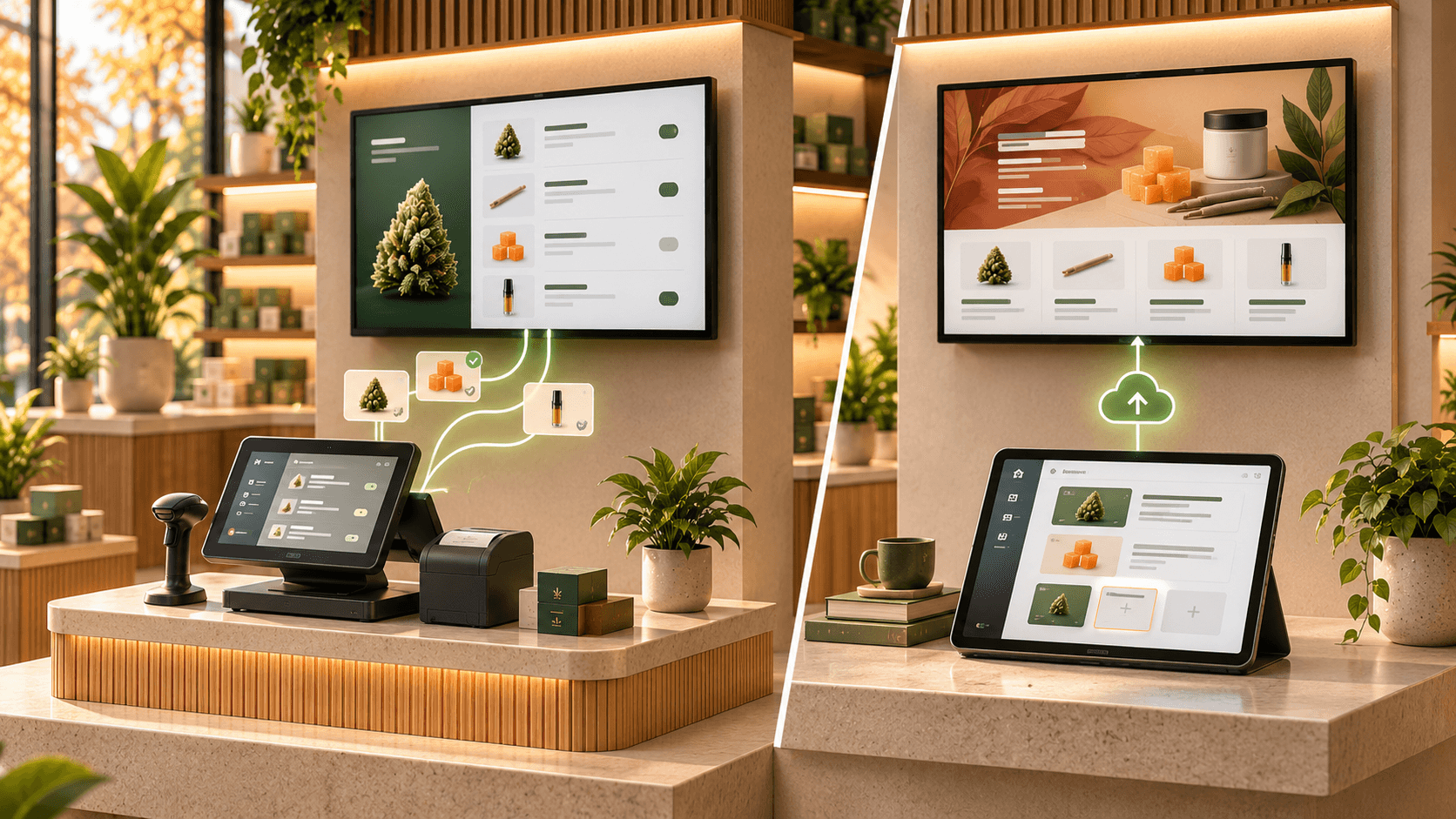

POS-Synced vs. Standalone Digital Menu Boards for Dispensaries
When choosing digital menu boards for your dispensary, one of the biggest decisions is how product information will reach your screens.
Should your digital menus connect directly to your point-of-sale (POS) system and update automatically?
Or should your team manage menu content separately through a dedicated digital signage platform?
Both approaches can work, but they create different day-to-day workflows.
POS-synced digital menu boards use product, pricing, and inventory information from a connected POS system. Standalone digital menu boards use information managed directly within the menu platform.
The difference affects how often your team makes updates, how much control you have over the displayed content, and what happens when products or prices change.
This guide explains the tradeoffs so you can choose the approach that fits your dispensary.
What are POS-synced digital menu boards?
POS-synced digital menu boards connect to a dispensary's point-of-sale system and use its data to populate customer-facing menus.
Depending on the integration, synchronized information may include:
- Product names
- Product categories
- Prices
- Available sizes
- Inventory availability
- THC and CBD information
- Product images
When supported information changes in the POS, the menu platform retrieves the updated data and refreshes the relevant displays.
For example, imagine your dispensary sells the last unit of a particular product.
With a POS integration that supports inventory synchronization and automatic out-of-stock handling, the product can be removed from the digital menu without an employee manually editing the screen content.
The same principle applies to price changes.
If the integration supports pricing synchronization, updating a product's price in the POS can also update the price displayed on the menu.
However, not every POS integration supports the same information or refresh frequency.
Some integrations may synchronize prices and product names but offer limited inventory information. Others may support additional fields such as cannabinoid percentages, product images, or size-based pricing.
The actual capabilities depend on the POS system, the menu provider, and the specific integration.
What are standalone digital menu boards?
Standalone digital menu boards are managed independently from the dispensary's POS system.
Instead of automatically pulling product information from the POS, the team adds and maintains content within the digital menu platform.
This typically includes product information, pricing, categories, featured products, and promotional content.
Trikome is an example of this approach.
Trikome lets cannabis retailers build a product catalog, organize products into collections, create rotating menu pages, upload images and videos, and display that content on connected TVs.
Product information is maintained directly in Trikome.
The platform does not currently offer automatic POS inventory synchronization.
If a product sells out or a price changes, the team needs to update the corresponding information in Trikome.
Once the menu has been updated, the new content can be sent to connected screens through the platform.
A standalone workflow separates menu management from the POS rather than automatically linking the two systems.
POS-synced vs. standalone digital menus at a glance
| Feature | POS-synced digital menus | Standalone digital menus |
|---|---|---|
| Product data source | Connected POS system | Digital menu platform |
| Price updates | Automatic when supported by the integration | Updated within the menu platform |
| Inventory availability | Can sync automatically | Maintained separately |
| Product catalog | Uses supported POS data | Managed directly |
| Featured collections | Depends on platform capabilities | Depends on platform capabilities |
| Promotional media | Depends on platform capabilities | Depends on platform capabilities |
| POS compatibility | Requires a supported integration | No POS integration required |
| Setup | Includes connecting and configuring POS data | Includes creating and maintaining menu content |
| Ongoing maintenance | Monitor synchronization and data quality | Maintain product and menu information |
| Best fit | Stores prioritizing automatic product and inventory updates | Stores preferring a separate menu-management workflow |
Neither approach guarantees accurate menus on its own.
Both depend on good information and a reliable process for keeping it current.
1. Compare how product information gets onto the screen
The first difference appears during setup.
With a POS-synced platform, the initial process usually involves connecting a supported POS account and configuring how its product data should appear.
The platform may import existing product information, reducing the need to enter the same catalog manually.
With a standalone platform, the team creates or maintains the product catalog directly in the digital menu software.
Trikome includes product fields designed for cannabis retailers, including strain information, product types, THC and CBD percentages, and pricing by size.
Products can then be organized into collections and displayed on menu pages.
This approach gives the team a dedicated place to manage the information shown on the screens.
The tradeoff is that product information already stored in the POS may need to be entered and maintained separately.
When comparing the two approaches, ask:
Where do we want our customer-facing menu information to be maintained?
2. Understand what happens when inventory changes
Inventory is one of the most important differences between the two approaches.
Cannabis dispensaries may have products that sell out, become unavailable, or return to stock during the day.
A POS-synced menu can respond to those changes automatically if the integration supports inventory availability.
For example:
- A product sells out.
- The POS inventory changes.
- The menu platform retrieves the updated inventory information.
- The product is removed, hidden, or marked unavailable according to the platform's configuration.
This reduces the need for someone to make the same change in a separate menu system.
With standalone digital menu boards, the workflow is different.
The team identifies the inventory change and updates the menu information manually.
For example:
- A product sells out.
- Staff confirm the change.
- The relevant product or collection is updated in the menu platform.
- The updated menu is sent to the connected screens.
Both workflows can produce an accurate menu.
The difference is how the information moves from the store's operational systems to the customer-facing display.
3. Compare how pricing updates work
Pricing is another area where POS synchronization can reduce duplicate work.
If a dispensary changes prices frequently, a supported POS integration can help keep displayed prices aligned with the system used at checkout.
A standalone menu requires the team to maintain those prices separately.
That is not necessarily difficult when price changes are infrequent.
But the amount of work can grow when the catalog is large or prices change regularly.
Consider how your store handles:
- Everyday price changes
- Different product sizes
- Temporary promotions
- Product markdowns
- Location-specific pricing
With Trikome, retailers can maintain product pricing by size within the product catalog.
Changes made in Trikome can then be reflected on connected screens.
However, changing a price in the POS does not automatically update Trikome.
That distinction should be part of the decision before choosing a platform.
4. Consider how much control you want over menu content
Product information is only one part of a digital menu.
Dispensaries may also want to display featured collections, promotional graphics, product photography, videos, or other branded content.
Both POS-synced and standalone platforms can offer content-management tools.
The difference is not that one approach supports creative content and the other does not.
It is how that content is managed alongside the product data.
With a POS-synced platform, product information may come from the POS while the menu provider supplies layout and promotional tools.
With a standalone platform, the team manages product information and other menu content directly within the same digital signage system.
Trikome supports collections such as Staff Picks and New Arrivals, along with rotating menu pages containing product collections, images, and videos.
Retailers can control page order and how long each page remains visible.
This makes it possible to build menus that combine structured product information with promotional content.
When evaluating software, test the actual menu-building workflow rather than assuming that POS synchronization determines the available design options.
5. Think about the work your team will do every day
A digital menu platform should fit the way your team operates.
With a POS-synced system, the daily workflow often focuses on keeping the POS catalog accurate and monitoring whether synchronization is working correctly.
With a standalone system, the team also needs to maintain the corresponding information within the menu platform.
Consider who currently handles:
- New product listings
- Price changes
- Inventory availability
- Featured products
- Promotional content
- Screen management
If the same employees already maintain a detailed POS catalog throughout the day, automatic synchronization may reduce repeated data entry.
If your menu is relatively stable and your team prefers to manage the display content separately, a standalone platform may be sufficient.
The important point is to understand the work involved before choosing.
6. Look beyond the initial setup
It is easy to focus on how quickly a digital menu platform can be installed.
But the more important question may be what happens after several months of use.
Imagine your dispensary introduces new products every week.
With a POS-synced platform, supported new product information can flow into the menu system from the POS.
Your team may still need to decide how products are categorized, featured, or presented.
With a standalone platform, those products need to be added or maintained within the menu catalog.
That creates an additional task, but it also means the menu does not depend on a particular POS integration to manage its content.
Neither workflow is completely maintenance-free.
One relies more heavily on integration health and POS data quality.
The other relies more heavily on staff processes for keeping the separate menu catalog current.
7. Understand the limitations of POS synchronization
Automatic synchronization can be useful, but it is important to understand exactly what it does.
A POS integration does not automatically guarantee that every field on your menu will be correct.
For example:
- A product may have incomplete information in the POS.
- An image may be missing.
- A promotional price may not be exposed through the integration.
- A particular field may not be supported.
- Synchronization may be delayed or interrupted.
A menu platform can only use the information available to it.
That means POS-synced menus still need monitoring.
Before choosing a provider, ask which fields are supported for your exact POS system and how often they refresh.
Also ask how the system handles missing data, unavailable products, and connection problems.
8. Understand the limitations of standalone menus
Standalone digital menu boards have their own operational requirements.
The most important is keeping product information current.
Because the menu is not automatically synchronized with inventory, someone needs to maintain the relationship between what the store sells and what the screens display.
That includes reviewing:
- Product availability
- Product names
- Prices
- Available sizes
- Featured collections
- Expired promotional content
A clear internal process can make this manageable.
For example, staff can update the menu whenever a new product is added or an existing product changes.
A regular review can also help identify outdated information.
However, a standalone menu should not be presented as if it automatically responds to sales or inventory changes.
It does not.
9. What happens when the internet goes down?
Internet connectivity is important for both approaches, but offline playback is a separate feature from POS synchronization.
A POS-synced platform may need connectivity to retrieve new product and inventory data.
A standalone cloud-managed platform also needs connectivity to deliver new menu updates.
Whether a screen continues displaying content during an outage depends on the software and playback system.
Trikome supports offline playback.
Its connected screens cache previously synchronized menu content locally, allowing the existing menu to continue playing during a temporary internet interruption.
New updates still require connectivity.
For POS-synced platforms, ask whether the last synchronized menu remains visible during an outage and what happens to inventory information while the connection is unavailable.
This matters because a menu that continues displaying is not necessarily showing the latest product availability.
10. How does each approach work across multiple locations?
Multi-location dispensaries introduce additional considerations.
Different stores may carry different products, use different prices, or run different promotions.
A POS-synced platform may be able to pull location-specific product and inventory information from the POS.
The exact workflow depends on how the POS integration handles stores and locations.
With a standalone platform, each location's menu content needs to be managed within the digital signage system.
Trikome Premium supports multiple stores from one account.
Each store has its own products, collections, menus, and connected devices.
Trikome does not currently automatically synchronize product catalogs or menus between stores.
That means operators can manage location-specific content, but changes that need to appear across several stores may require separate updates.
For multi-location operators, the choice often comes down to where location-specific product data is maintained and how much manual work is acceptable.
11. Compare the complete cost
Software pricing is another consideration.
POS-synced platforms and standalone platforms may use different pricing models.
Some charge per screen, some per location, and others by subscription tier.
A POS-integrated solution may also have setup or integration-related costs.
Standalone platforms may have lower subscription costs in some cases, but the time required to maintain product information should also be considered.
Trikome currently offers a Free plan with one store, one device, and one menu.
Premium costs $30 per store per month or $300 per store per year, with unlimited devices and menus included.
That is the published Trikome software price, not the complete cost of screens, playback hardware, installation, or staff time.
When comparing providers, calculate the total cost for your actual number of stores and screens.
Then consider the operational work required to keep the menus current.
A lower subscription price does not automatically mean a lower total operating cost.
12. Which approach fits your dispensary?
The right choice depends on your requirements.
A POS-synced digital menu may be a better fit if:
- Your POS is the main source of product information.
- Inventory availability changes frequently.
- You want supported price changes reflected automatically.
- You have a large or frequently changing product catalog.
- You want to reduce duplicate product-data maintenance.
- Your existing POS is supported by the menu provider.
A standalone digital menu may be a better fit if:
- You want to manage menu content independently from your POS.
- You prefer a dedicated workflow for products, collections, and media.
- Your menu catalog is manageable without automatic synchronization.
- You do not want your menu workflow tied to a specific POS integration.
- Your team can maintain product and pricing information separately.
- You want to test digital menus without connecting operational systems.
These are not absolute rules.
A store with frequent inventory changes can still use standalone menus if it has a reliable update process.
A store with a stable catalog can still benefit from POS synchronization.
The deciding factor is how the workflow fits your team.
Questions to ask before choosing
Before selecting a digital menu platform, work through these questions:
- Does the platform require a POS integration?
- Is our current POS supported?
- Which product fields synchronize automatically?
- Does inventory availability update automatically?
- How frequently does synchronization happen?
- What happens when a product sells out?
- How are pricing changes handled?
- Can we create featured collections?
- Can menus include images and videos?
- Can different screens display different menus?
- How are multiple locations managed?
- What happens during an internet outage?
- Who will maintain product information?
- What is the complete software and hardware cost?
- Can we test the workflow before committing?
The answers should give you a clearer picture of the system you will actually be operating.
Choose the workflow that fits your store
POS-synced and standalone digital menu boards solve the same basic problem: displaying useful product information on screens inside a dispensary.
They differ in how that information is maintained.
POS-synced platforms use supported POS data to update menus automatically. That can reduce duplicate work when prices, inventory, and product details change.
Standalone platforms keep menu management separate. Your team maintains the product information and controls what appears on the screens through the digital menu system.
Trikome follows the standalone approach.
It provides cannabis retailers with a product catalog, collections, rotating menu pages, media management, connected-screen controls, offline playback, and multi-location tools.
It does not automatically synchronize inventory with a POS.
That makes the tradeoff clear.
If automatic POS-driven inventory and pricing updates are essential, look for a provider with a verified integration for your specific POS.
If you prefer to manage your digital menus separately, Trikome provides a focused workflow for building and maintaining the content shown on your dispensary screens.
Whichever approach you choose, the goal is the same: keep your menus accurate, readable, and useful without creating unnecessary work for your team.