
Choosing cannabis menu software is not just a design decision.
The platform you choose affects how your team adds products, changes prices, organizes menus, manages screens, handles multiple locations, and responds when something needs to change during the day.
Two platforms can both put a menu on a TV while offering very different workflows behind the scenes.
That is why dispensaries should look beyond screenshots and compare how each system will actually work inside the store.
This buying guide covers the questions worth asking before choosing cannabis menu software.
Start with the job you need the software to do
Before comparing features, define what you are actually trying to improve.
Do you simply need a product list on one TV?
Do you want to replace manually updated menu files?
Do you need different menus across several screens?
Are you managing multiple dispensary locations?
Do you want to combine product information with promotional images and video?
The right platform depends on the answers.
A single-location dispensary with one screen has different requirements from a multi-store operator managing menus across several locations.
Start with your workflow. Then evaluate features against it.
1. Look at how products are managed
Your digital menu starts with product information.
Before choosing a platform, look at how products are created and maintained.
For a cannabis retailer, useful product fields may include:
- Product name
- Product type
- Strain information
- THC and CBD percentages
- Available sizes
- Pricing
Generic digital signage software may give you a blank canvas for designing screens. Cannabis-specific menu software can provide a more structured way to manage the information dispensaries regularly display.
Trikome includes a product catalog with cannabis-specific information such as strain data, product types, THC and CBD percentages, and flexible pricing by size.
That means products can be managed as products rather than rebuilt manually every time you create a menu page.
When comparing platforms, ask:
Does the software understand the information we actually need to display?
2. Compare how menus are organized
A product catalog and a customer-facing menu are not the same thing.
A store might carry dozens or hundreds of products, but putting all of them on one screen can make the menu difficult to read.
Look for software that gives you practical ways to organize that catalog.
Trikome lets retailers group products into collections such as Staff Picks or New Arrivals. Those collections can then be placed within menu pages.
Menus can contain multiple rotating pages, and each page can include product collections, images, or videos.
When comparing platforms, look at how easily you can:
- Separate products into useful groups
- Create multiple menu pages
- Change page order
- Control how long pages remain visible
- Mix product information with other media
The goal is not to find the platform with the most layout options.
It is to find one that lets your team create readable menus without turning every update into a design project.
3. Understand the update workflow
This is one of the most important parts of a cannabis menu software comparison.
Ask exactly what happens when a price changes.
Does someone need to edit a graphic?
Export a file?
Upload it again?
Visit the TV?
Update each screen individually?
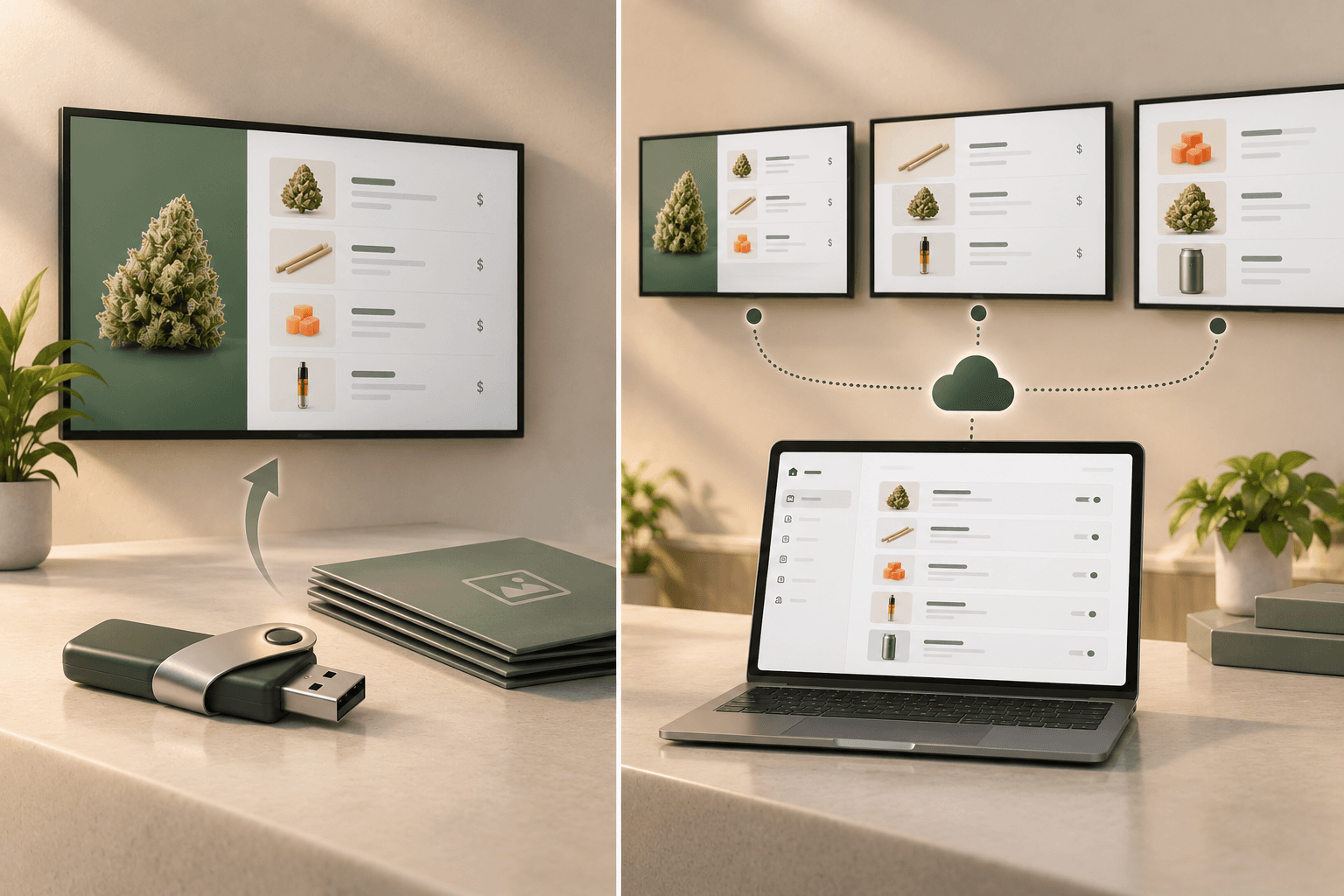
Or can the change be made through a central dashboard and sent to the connected displays?
The easier that workflow is, the easier it will be to keep your menu current.
With Trikome, products and menus are managed through the web dashboard. Changes can be pushed to connected TV screens without physically updating each display.
That is especially useful when a dispensary has several screens.
Do not judge the workflow based only on the initial setup. Ask how much work the tenth, fiftieth, and hundredth menu update will require.
4. Check what hardware you need
Digital menu software still needs something to display the menu.
Before choosing a platform, understand its hardware requirements.
Ask:
- What devices does the software support?
- Do we need dedicated media players?
- Can we use hardware we already own?
- How is each TV connected?
- How difficult is it to replace or add a screen later?
Trikome supports its TV app on Apple TV and Android TV. A screen is linked to the account using a 4-digit code.
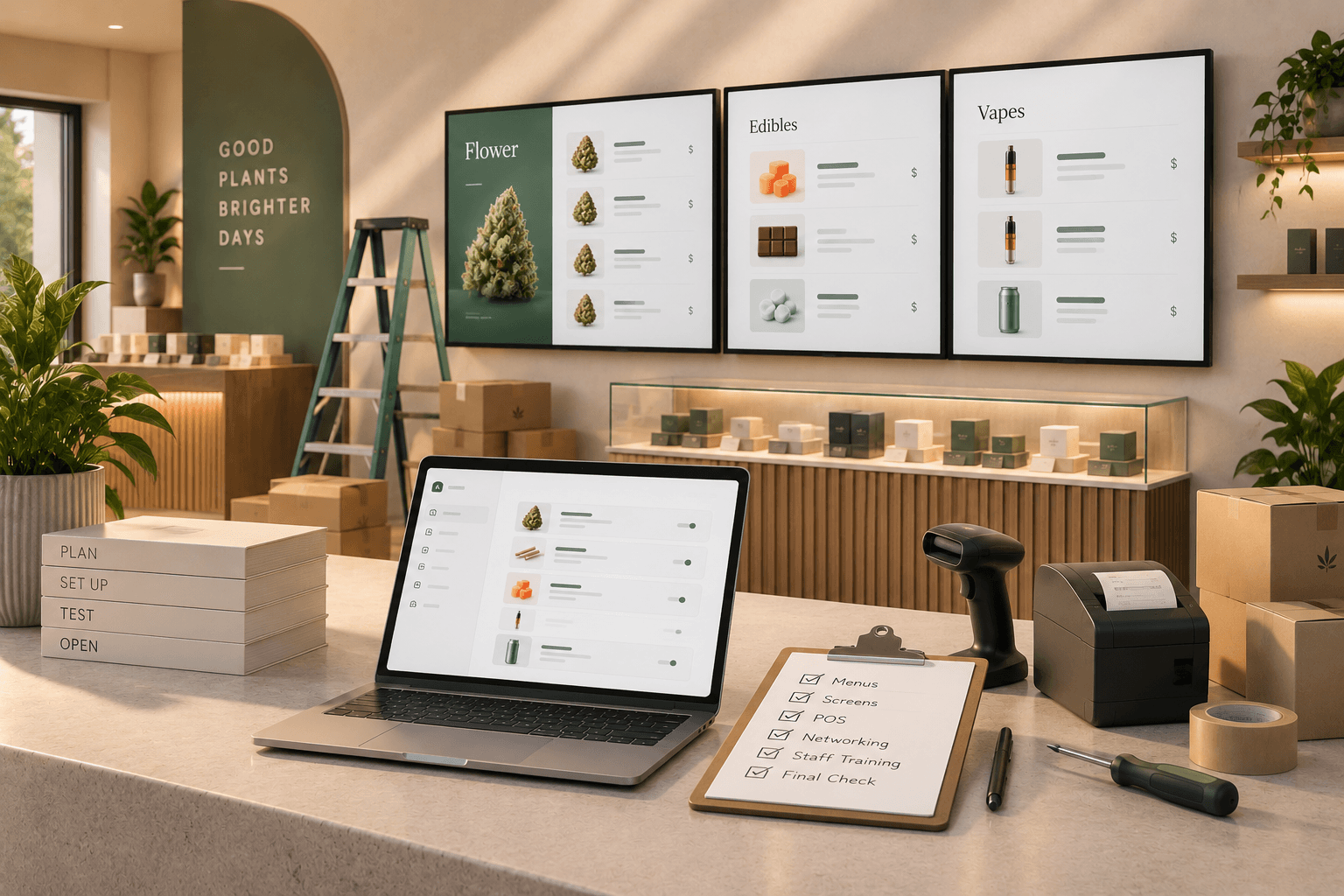
The basic workflow is to build the menu, link the TV, and send the menu live.
Hardware compatibility matters because software that looks affordable can become more expensive or complicated if every screen requires additional equipment you did not plan for.
Compare the complete setup, not only the software subscription.
5. Find out how multiple screens are managed
One screen is relatively easy to manage.
Several screens introduce more questions.
Can every screen show the same menu?
Can different screens show different menus?
Can you tell which devices are online?
Can you identify a screen without walking around the store?
Can you send updated content to connected displays from one place?
Trikome includes device management that shows whether screens are online and when they last checked in.
Trikome Premium also supports unlimited devices and unlimited menus per store.
For dispensaries using displays at the entrance, counter, product areas, or other parts of the store, this can make screen management much easier than treating each TV as a separate system.
6. Ask what happens when the internet goes down
Cloud-managed software depends on connectivity for updates, but that does not mean your menu should disappear every time the internet drops.
Ask every provider how its screens behave during an outage.
Does the screen go blank?
Does it show an error?
Does it continue displaying previously downloaded content?
Trikome caches menu content locally on the display device. If the internet connection drops, the previously synchronized menu continues playing.
New changes still need connectivity to reach the screen, but customers can continue seeing the existing menu during a temporary outage.
Offline playback is easy to overlook during a software demo.
It becomes much more important when the store is open and the network has a problem.
7. Evaluate media management
Product information may be the core of your menu, but many dispensaries also want to display other content.
That could include:
- Product photography
- Brand graphics
- Promotional images
- Supplier content
- Videos
- Seasonal campaigns
Check whether the platform has a structured way to store and reuse those assets.
Trikome includes a media library for images and videos. Uploaded media can be used within menu pages alongside product collections.
The Free plan currently includes 100MB of media storage, while Premium includes 500MB per store.
When comparing platforms, consider both what media formats you can use and how easy those assets are to organize over time.
8. Consider multi-location management before you need it
If you operate several dispensaries, multi-location management should be part of the buying decision from the beginning.
Even if you have one store today, it may be worth considering if expansion is already part of your plan.
Ask:
- Can several stores be managed from one account?
- Does each location have its own products and menus?
- Can different employees access different stores?
- How are screens separated by location?
- How does pricing change as stores are added?
Trikome Premium supports multiple store locations from one account.
Each location has its own products, menus, and screens, which keeps store-specific content separated while allowing authorized users to manage locations through the same account.
For a multi-store operator, this structure can be more important than having additional design templates.
9. Compare team access and permissions
As more employees become involved, account access matters.
Giving every person the same login or the same level of control is rarely ideal.
Look for software that lets you decide who can make changes and what they are allowed to manage.
Trikome Premium includes team member invitations and role-based permissions.
This becomes especially useful when different people are responsible for products, menus, devices, or individual store locations.
When comparing software, think beyond who will set it up.
Ask who will actually maintain it six months from now.
10. Understand what the software does not replace
This is an important part of any software buying decision.
Digital menu software is not necessarily your point-of-sale system, inventory platform, compliance system, or payment system.
Before signing up, understand exactly where the platform fits in your technology stack.
Trikome is focused on digital menu boards. It works alongside a dispensary's existing POS rather than replacing the systems used to run sales, inventory, payments, or compliance.
That can be an advantage if you want to improve your in-store menus without changing your entire retail system.
But it also means you should understand which information your team will maintain in each platform.
Do not assume that every digital menu product automatically replaces or synchronizes with the rest of your dispensary software.
Ask specifically how the systems work together.
11. Compare pricing based on your actual setup
A monthly price by itself does not tell you what a digital menu system will cost.
Look at what happens when you add:
- More screens
- More menus
- More locations
- More team members
- More media storage
Some platforms may charge per screen. Others may price by location, account, feature tier, or another structure.
Trikome currently has a Free plan with one store, one device, one menu, 100MB of media storage, and offline mode.
Premium is currently $30 per store per month or $300 per store per year. It includes unlimited stores, unlimited devices, unlimited menus, 500MB of media storage per store, team member invites, role-based permissions, custom strains, and priority support.
Pricing can change, so always check the current plan details before making a purchasing decision.
More importantly, compare pricing using the setup you actually expect to run.
If you need six screens across three stores, compare the cost of that configuration rather than the advertised entry price.
12. Test the software before committing
A feature list can tell you what software claims to do.
Using it tells you whether the workflow makes sense for your team.
If a free plan or trial is available, build a realistic menu.
Add some of your actual products.
Create collections.
Build several pages.
Connect a screen.
Change a price.
Add a new product.
Upload an image or video.
Then ask the person who will maintain the menu regularly to try the same tasks.
Trikome currently offers a Free plan with no credit card required, which makes it possible to test a basic setup with one store, one device, and one menu before moving to Premium.
A real test is more useful than comparing feature lists in isolation.
A cannabis menu software comparison checklist
Before choosing a platform, work through this list:
- Does it support cannabis-specific product information?
- Can products have multiple sizes and prices?
- Can products be organized into collections or categories?
- Can menus use multiple pages?
- Can pages include images and video?
- How are menu updates sent to screens?
- What TV or media-player hardware is required?
- Can different screens display different menus?
- Can you monitor whether devices are online?
- Do menus continue displaying if the internet goes down?
- Can multiple locations be managed from one account?
- Can team members have different permissions?
- How much media storage is included?
- What happens to pricing when you add screens or stores?
- Does the software replace your POS or work alongside it?
- Can you test the workflow before committing?
You may not need every feature on the list.
The point is to know which tradeoffs you are making before the software becomes part of your daily operations.
Choose for the workflow, not the feature count
The best cannabis menu software is not necessarily the platform with the longest feature list.
It is the one that fits the way your dispensary actually operates.
A small store may prioritize quick setup and simple menu updates.
A dispensary with several screens may care more about device management and the ability to run different menus.
A multi-location operator may prioritize store separation, team permissions, and centralized management.
Start with the work your team needs to do every day.
Then compare how each platform handles products, menus, screens, connectivity, locations, team access, and pricing.
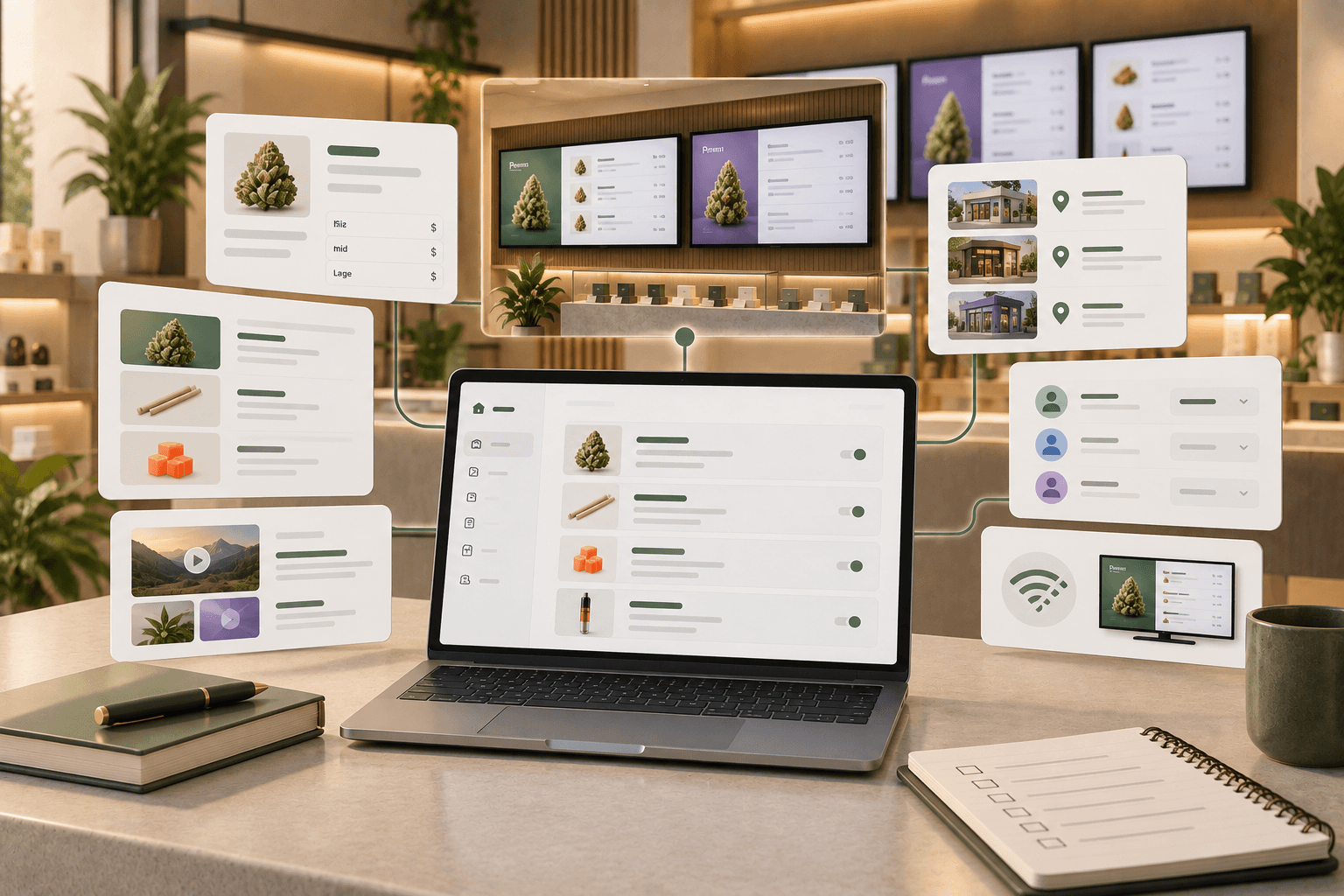
Trikome is built specifically around digital menu boards for cannabis retailers. It combines a cannabis-focused product catalog with collections, rotating menu pages, images and video, connected TV management, offline playback, and multi-location tools.
But whichever platform you evaluate, the same buying principle applies:
Choose software that makes keeping your menus accurate and useful easier, not software that simply gives you more things to manage.